
You can open most AI files without Illustrator. Free vector apps like VectorCraft, Inkscape and Affinity open .ai files saved as PDF compatible and let you export SVG, PDF or PNG, and any PDF viewer can show the artwork if you rename a copy to .pdf. If a file shows a "saved without PDF content" message, ask the designer to re-save it with PDF compatibility turned on.
A designer sends your logo as an .ai file, you double-click it, and nothing useful happens. Either your computer asks which app to use, or a PDF viewer shows a message instead of your logo. The good news: you do not need an Illustrator subscription to open most .ai files. This guide shows which free apps work, what each one can and cannot do, and how to fix a file that will not open anywhere.
What is an AI file?
An .ai file is the native working file of Adobe Illustrator. It stores your logo as vector shapes, so it scales to any size without blurring, plus Illustrator specific data like artboards, layers and editable text. If vector versus pixel is new to you, start with what is a vector logo.
The detail that matters for opening it: when Illustrator saves with the Create PDF Compatible File option turned on, it stores a PDF version of the artwork inside the .ai file. Adobe describes the option as saving "a PDF representation of the document in the Illustrator file." That embedded PDF is what lets other apps read the file. Almost every free method below depends on it.
How to open an AI file: your options at a glance
| App | Cost | Platforms | Can you edit the vectors? | Best for |
|---|---|---|---|---|
| Adobe Illustrator | Subscription | Mac, Windows, iPad | Yes, full editing | Designers who work with .ai files every day |
| VectorCraft | Free, open source | Mac, Windows, Linux, browser | Yes (PDF compatible .ai) | An Illustrator style workspace without a subscription |
| Inkscape | Free, open source | Mac, Windows, Linux | Yes (PDF compatible .ai) | Editing and exporting SVG, PDF and PNG |
| Affinity by Canva | Free | Mac, Windows | Yes (PDF compatible .ai) | Polished design work and print exports |
| Preview, Acrobat Reader or a browser | Free | Any | No, view only | Checking what is in the file |
| Photoshop | Subscription | Mac, Windows | No, it converts to pixels | Using the logo inside a photo or mockup |
Method 1: Open it in VectorCraft (free)
VectorCraft is a free, open source vector app with a layout that will feel familiar if you have ever used Illustrator: a tool bar on the left, a Layers panel on the right, pen tool, shape booleans and image tracing. It runs on macOS, Windows and Linux, and there is a browser version, so you can try it without installing anything. Its GitHub page lists PDF compatible .ai files among the formats it opens and exports.
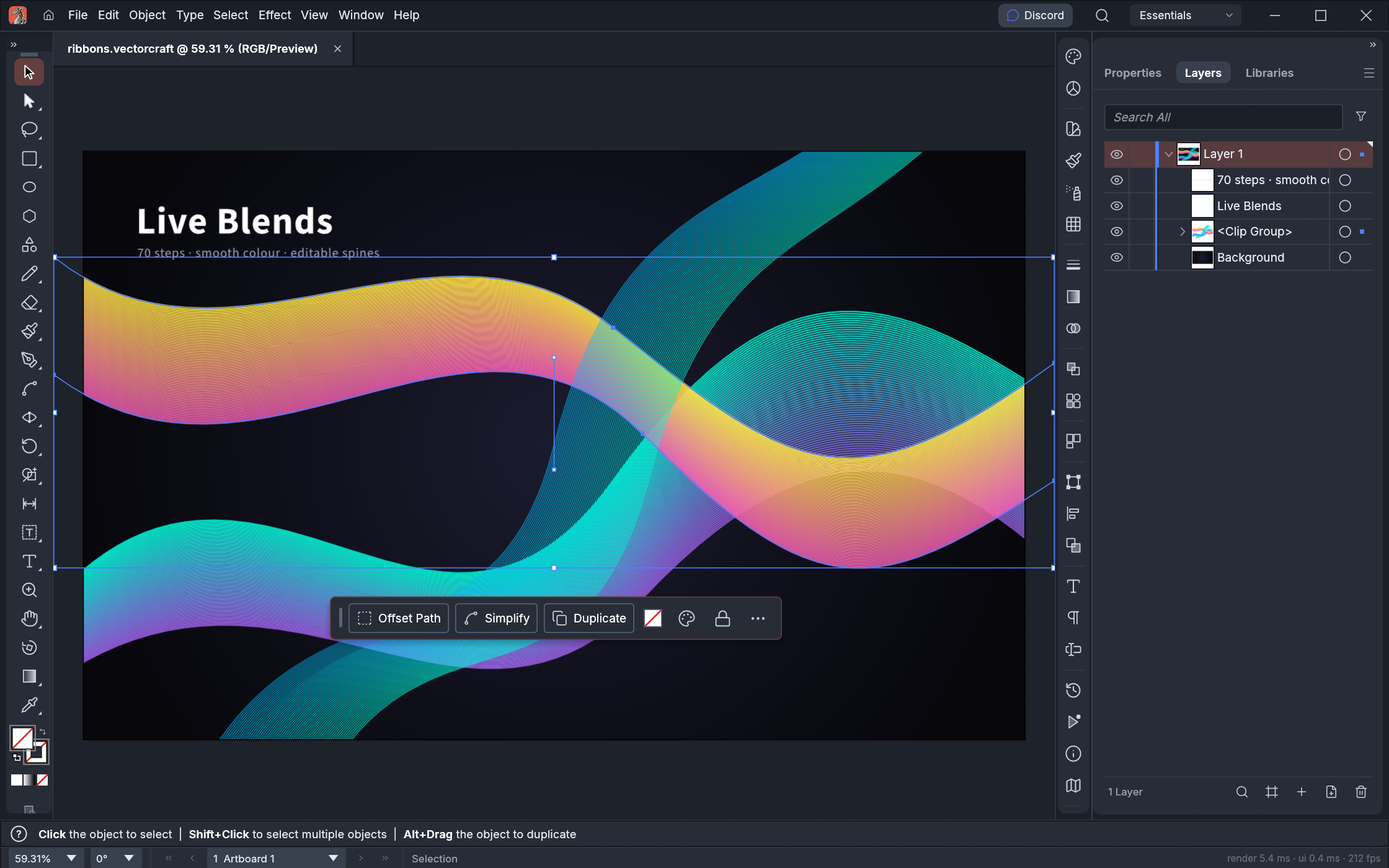
- Download VectorCraft from getartcraft.com, or open the web version.
- Choose File, Open and select your .ai file.
- Check the artwork: colors, text and every artboard.
- Export what you need: SVG for your website, PDF for print, PNG for documents and social media.
One honest caveat: the developers describe VectorCraft as alpha software, and they list reliable .ai exchange as unfinished work. It is great for opening, checking and exporting a logo. Keep your original .ai file untouched and save your edits as a new file.
Method 2: Open it in Inkscape (free)
Inkscape is the long standing free vector editor, and it imports .ai files from Illustrator version 9 onward using the same engine it uses for PDF import.
- Install Inkscape from inkscape.org.
- Use File, Open and pick the .ai file. If an import dialog appears, keep the default settings.
- Ungroup the artwork if you need to edit single shapes.
- Save a copy as SVG, or export PNG and PDF.
Expect small differences in complex files: gradients, effects and text may need a second look, especially if the fonts are not installed on your computer.
Method 3: Open it in Affinity (free)
Canva relaunched Affinity as a single free design app in late 2025, combining the former Designer, Photo and Publisher tools. It opens PDF compatible .ai files, and it is the most polished free option if you also need to prepare print files. Open it, choose File, Open, select the .ai file and export to the format you need.
Method 4: Just view it in a PDF viewer
If you only need to see the logo, not edit it, a PDF reader is enough. On a Mac, Preview often opens .ai files directly. On any computer, you can:
- Make a copy of the .ai file.
- Rename the copy from logo.ai to logo.pdf.
- Open it in Acrobat Reader, Preview or your browser.
This works because of the embedded PDF. You can print it or share a quick preview, but you cannot reliably edit the shapes this way.
Why your AI file will not open (and how to fix it)
- "This is an Adobe Illustrator File that was saved without PDF Content." The file was saved with PDF compatibility turned off, so free apps have nothing to read. Ask the designer to re-save it with Create PDF Compatible File checked, or to send a PDF, SVG or EPS export.
- The fonts look wrong. Live text uses fonts that are not installed on your computer. Ask for a version with text converted to outlines.
- The file is very old. Illustrator files from before version 9 are PostScript based, and modern free apps handle them poorly. An updated export from the designer is the quickest fix.
- An online viewer shows a blank page. Same root cause as the first point. Also be careful uploading client or brand files to free online viewers you do not know.
From the studio: when we hand over a logo, we save every .ai file with PDF compatibility on and all text converted to outlines, and we send SVG, EPS, PDF and PNG versions next to it. If your designer only gave you a single .ai file, ask for the full set now, while they still have the project open. It takes them a few minutes and saves you from this exact problem later.
Do you even need the AI file?
Usually not for daily use. The .ai file is the master you keep safe and hand to the next designer or printer. For everyday jobs, use the exports: SVG on your website, PNG in documents and email, PDF or EPS for printers. Our guide to logo file formats explains which file goes where, and EPS vs SVG covers the two vector formats people most often confuse.
If all you have is a PNG or JPG and no vector file at all, opening is not the problem. The logo needs to be rebuilt as a vector first, see how to vectorize a logo.
Related guides
We rebuild or clean up your logo as a proper vector and deliver AI, SVG, EPS, PDF and PNG files ready for web and print.
FAQ
Can I open an AI file without Adobe Illustrator?
Yes. Free apps such as VectorCraft, Inkscape and Affinity open AI files that were saved as PDF compatible, and most PDF viewers can display them for viewing only.
Can I open an AI file in Photoshop?
Yes, but Photoshop turns the vector artwork into pixels when it opens it. Use it to place a logo in a photo or mockup, not to edit the logo itself.
Can Canva open AI files?
Yes, in a desktop browser on canva.com. Canva's .ai import is in beta, only accepts files saved as PDF compatible, and may rasterize some elements, so check the result before you rely on it.
What is the difference between an AI file and an EPS file?
AI is Illustrator's editable working format, while EPS is an older exchange format that many print shops and apps accept. Keep the AI as your master and send EPS or PDF when a printer asks for vector files.

Founder of SkyDesigner. Fiverr Pro Vetted designer, selling on Fiverr since 2014 with 24,500+ reviews.


