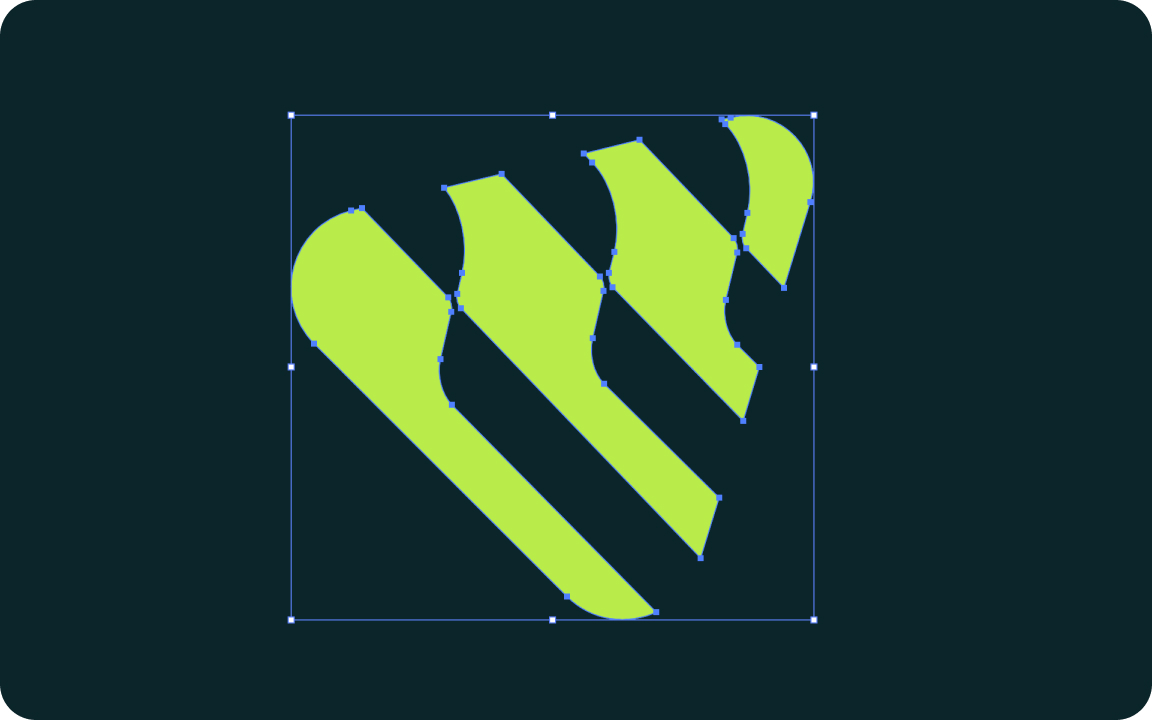
A vector logo is a logo drawn with mathematical paths instead of pixels, saved as AI, EPS, SVG or a vector PDF. It can be scaled to any size, from a favicon to a billboard, without getting blurry, and its colors can be changed easily. PNG and JPG logos are not vector.
Printers, sign makers and web developers often ask for "a vector logo". If you only have a PNG or JPG, that request can be confusing. Here is what a vector logo is and how to get one.
Vector logo, in one sentence
A vector logo is built from points, lines and curves that the computer redraws at any size, so it never pixelates. A raster logo (PNG, JPG) is a grid of pixels with a fixed size. The full comparison is in our guide to raster vs vector.
Which files are vector?
| Format | Vector? | Notes |
|---|---|---|
| AI | Yes | Adobe Illustrator master file |
| EPS | Usually | Can also contain a pasted raster image |
| SVG | Yes | Best vector format for websites |
| Sometimes | Vector only if exported from vector artwork | |
| PNG / JPG | No | Always pixels |
Why you need a vector logo
- Any size. Business cards, signs, vehicle wraps and banners all print sharp.
- Easy color changes. One-color, white or Pantone versions take minutes.
- Production. Embroidery, laser engraving, vinyl cutting and screen printing need vector paths.
- Websites. An SVG logo stays crisp on every screen and loads fast.
How to check if your logo is vector
- Look at the file extension. PNG and JPG are never vector.
- Open the file and zoom in to 800%. Vector edges stay sharp; raster edges turn into pixels.
- In Illustrator, switch to Outline view (Ctrl+Y or Cmd+Y). Vector logos show paths; raster images show a box with an X.
From the studio: about half the "vector" files clients send us are really a JPG saved inside an EPS or PDF. Always zoom in before you send a file to a printer.
How to get a vector logo
- Ask the original designer for the AI, EPS or SVG source file.
- Trace it yourself with Image Trace in Illustrator for simple logos. See Image Trace in Illustrator.
- Have it redrawn by hand for clean curves, correct fonts and exact colors. We explain all methods in how to vectorize a logo.
Related guides
We redraw logos by hand and deliver AI, EPS, SVG, PDF and PNG files.
FAQ
What is a vector logo?
A logo made of mathematical paths instead of pixels, saved as AI, EPS, SVG or vector PDF, so it scales to any size without losing quality.
Is a PNG logo a vector?
No. PNG is a raster format made of pixels. It cannot be enlarged without losing quality.
How do I know if my logo is vector?
Zoom in to 800%. If edges stay sharp, it is vector. You can also check paths in Illustrator’s Outline view.
How can I turn my logo into a vector?
Get the source file from the designer, trace a simple logo in Illustrator, or have it redrawn by hand for the cleanest result.

Founder of SkyDesigner. Fiverr Pro Vetted designer, selling on Fiverr since 2014 with 24,500+ reviews.