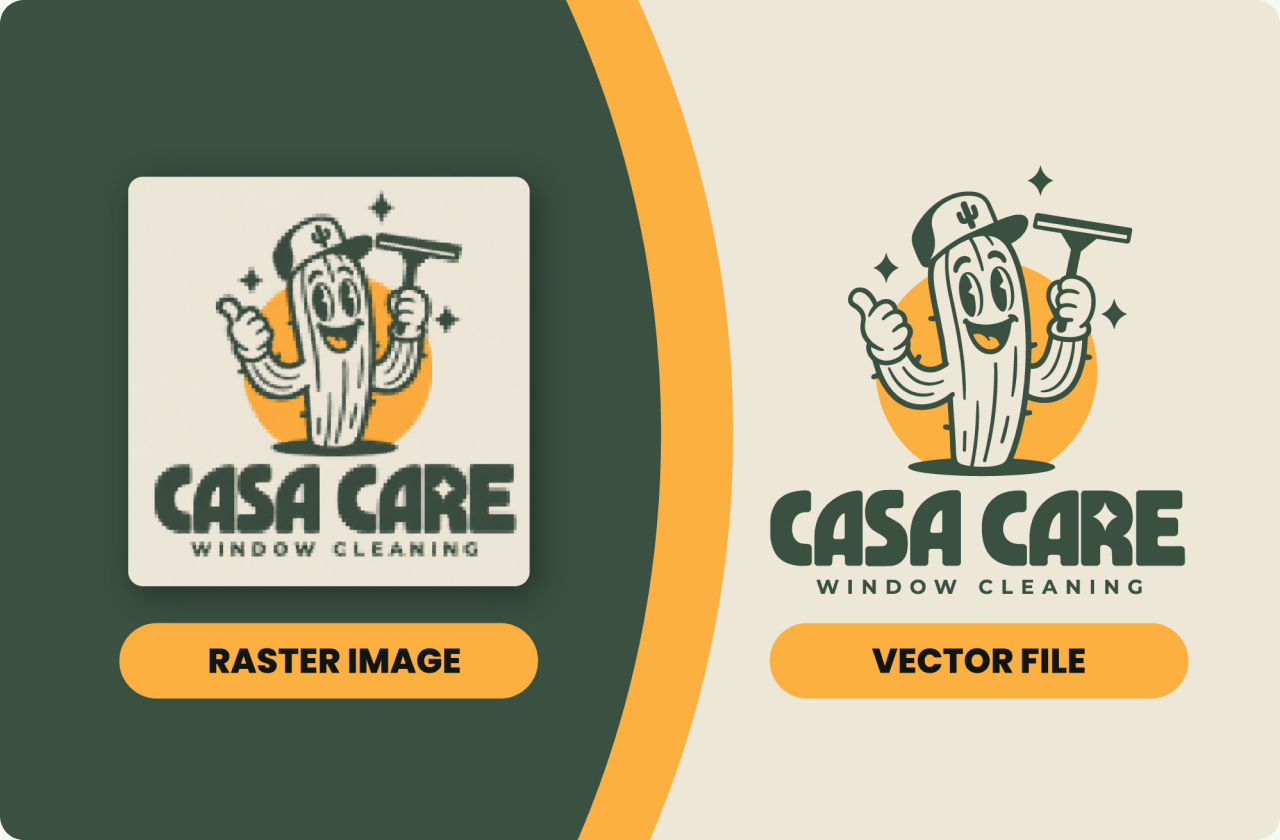
Place the image in Adobe Illustrator, run Image Trace, then Expand it into editable paths and clean them up. Free alternative: Inkscape Trace Bitmap. For blurry or small logos, redrawing with the Pen tool gives cleaner results.
Which method should you use?
Image Trace in Adobe Illustrator is the fastest option if you already have Illustrator, and it works well for clean logos with flat colors. Inkscape does the same job for free, with slightly less control. Redrawing with the Pen tool takes the longest, but it is the only method that gives clean results for blurry, small or low-quality files.
Method 1: Image Trace in Adobe Illustrator
- Place your logo with File > Place and select it.
- Open Window > Image Trace.
- Pick Black and White Logo, or Color mode with your color count.
- Tick Ignore White under Advanced.
- Adjust Paths, Corners and Noise, then Trace.
- Object > Image Trace > Expand.
- Clean up with Object > Path > Simplify.
This is how we vectorize client logos at SkyDesigner. Auto-trace gets you 80% there; the last 20% is redrawing curves by hand.
Method 2: Inkscape Trace Bitmap
- Open Inkscape and import your logo with File > Import.
- Select the image and open Path > Trace Bitmap.
- Choose Single scan for one-color logos or Multiple scans for color logos.
- Adjust the threshold or number of colors until the preview looks right, then click Apply.
- Move the traced result aside, delete the original image and save as SVG.
Method 3: Redraw with the Pen tool
When the source file is blurry, tiny or a photo of a sign, auto-trace follows the noise and produces bumpy shapes. In that case, place the image on a locked layer, lower its opacity and redraw each shape with the Pen tool using as few anchor points as possible. Match text to the original font, or to the closest available one, instead of tracing it.
Check it is vector
Zoom in to 800% or more. A true vector stays perfectly sharp at any zoom, while a raster image turns blurry or pixelated. In Illustrator, switch to Outline view with Ctrl+Y or Cmd+Y: real vectors show as clean paths, while an embedded image shows as a box with an X.
Export formats
Save the master file as AI or PDF. Export SVG for websites, EPS for printers and older software, and transparent PNG for places that do not accept vector files, such as social media profiles.
When to hire
Hire a designer when the logo has fine details, gradients or text that auto-trace distorts, when the file is going to print, embroidery or signage, or when you need the result to match your brand exactly.
We redraw your logo point by point, with AI, EPS, SVG and PDF files.
FAQ
Can I vectorize a logo for free?
Yes. Inkscape is free and its Trace Bitmap tool works well for simple logos. Complex or blurry logos usually need a manual redraw.
Why does my traced logo look bumpy?
Auto-trace follows the pixels, including blur and noise. Lower the noise setting, simplify the paths, or redraw the curves with the Pen tool.
Is a PNG a vector file?
No. PNG is a raster format made of pixels. Vector formats are AI, EPS, SVG and PDF.
How long does it take by hand?
A simple logo takes an experienced designer about an hour. Detailed logos with many shapes or gradients take longer.
Adobe Illustrator Help · Inkscape manual

Founder of SkyDesigner. Fiverr Pro Vetted designer, selling on Fiverr since 2014 with 24,500+ reviews.